Figuring out how much you’re earning from affiliate programs can feel like a real puzzle, especially with all the platforms and data you have to juggle. Missing out on vital info not only makes you lose track of your commission but can even leave money on the table. Knowing exactly how to track affiliate sales from your websites helps you stay organized, spot what’s working, and get paid fully for the work you’ve done.
It used to be enough to just rely on affiliate dashboards, but things have moved way beyond that. Sites, browsers, and networks change all the time, so having a tracking setup that fits your website and adapts to changing affiliate rules is super important. In this guide, I will share an up-to-date way to track affiliate sales effectively from your websites, including tools, common mistakes, privacy issues, and some troubleshooting tips.
1. Understand Affiliate Sales Tracking Today
Tracking affiliate sales still comes down to figuring out where a shopper came from and rewarding you if they bought something. This usually involves a special tracking link your partner gives you, which records clicks, leads, and sales.
How Tracking Works:
- Unique Tracking Links: You use affiliate URLs with your unique ID (like
?ref=yourcode). - Cookies and Fingerprinting: When someone clicks your link, a cookie or browser fingerprint tracks their visit and future purchase.
- Dashboard Data: Affiliate platforms show sales, clicks, and commission reports (sometimes with a delay).
With browsers tightening privacy and blocking third-party cookies, networks now use new tracking methods like server-side tracking, first-party cookies, and, sometimes, local device storage. This makes it even more important to keep up with the trends in affiliate marketing and makes accurate tracking more challenging. In 2026, tracking is no longer as straightforward as it once was, so it pays to stay alert and adapt as technology changes. Monitoring your methods regularly will help future proof your commissions and catch any issues before they become costly mistakes.
2. Pick the Right Tracking Tools for Your Site
You can track affiliate sales using a mix of the affiliate network dashboard, analytics tools, and special plugins. Each approach helps you fill in gaps the others might miss, and blending several tracking systems together gives you an all-in-one view of how your affiliate links perform. This makes for smarter analysis and better results.
Popular Tracking Tools (2026):
- Affiliate Network Dashboard, built into platforms like Amazon Associates, Impact, CJ, ShareASale, and Awin.
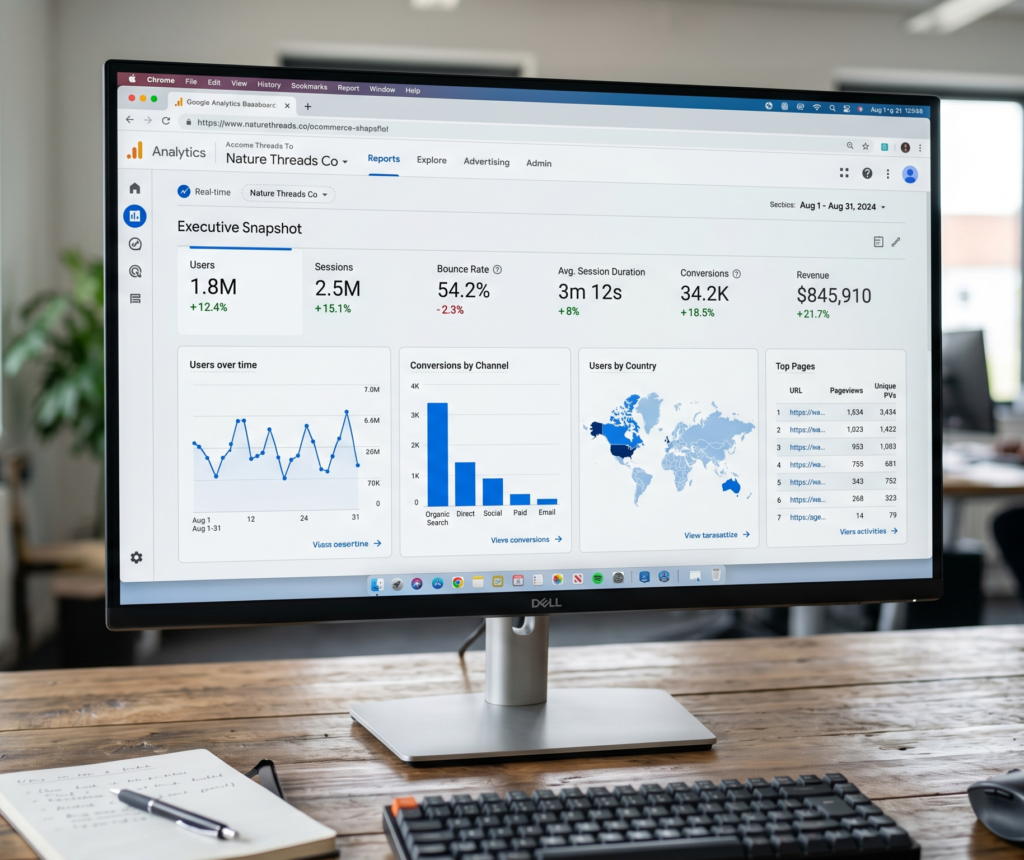
- Analytics Platforms, Google Analytics 4 (GA4), Plausible, and Matomo let you set up custom events to track outgoing affiliate clicks.
- Link Management Plugins: Tools like ThirstyAffiliates, Pretty Links, and Lasso let you create, cloak, and monitor affiliate links. They offer easy organization and also help you group links for campaigns or specific content.
- Custom Event Trackers: Set up scripts to log outgoing clicks, then match up sales reports from the network. This can include using spreadsheets or lightweight database logging if your site is custom-built.
| Tool | What It Tracks | Best For |
|---|---|---|
| Affiliate Network Dashboard | Clicks, sales, earnings | Verifying commissions |
| GA4 Events | Outgoing clicks, user flow | Troubleshooting and optimization |
| Link Plugin (e.g. Pretty Links) | Clicks on your links | Identifying which links get clicked most |
If one method fails, another picks up the slack, giving you a clearer view. You may also want to game plan a backup strategy in case a particular plugin or dashboard has an outage. Being ready with a secondary method can make sure your income tracking doesn’t skip a beat.
3. Set Up Reliable Tracking on Your Website
Getting your tracking right from the start is key. Here’s a practical walkthrough I follow with my own affiliate sites:
Step-by-Step Tracking Setup:
- Create or cloak affiliate links using a plugin if you want prettier URLs or easy organization. Some tools even let you bulk update links if your affiliate program changes providers, saving you lots of hassle down the road.
- Add outbound click tracking (in GA4, set up an event to track when a visitor clicks out to an affiliate link; plugins often do this for you automatically). Google’s event tracker is especially handy because you can track not just the clicks, but what page and device the visitor was using.
- Test your links after setup. Click each link, clear cookies, and make sure the redirects work. Use a different browser or device if possible. Double-checking ensures there are no mistakes in your setup and lets you catch any errors immediately.
- Compare click data between your site analytics and your affiliate dashboard. Matching these up is the fastest way to catch missing commissions or broken links, and following a weekly routine for this will keep things accurate month to month.
Pro Tip:
Label your affiliate links clearly, both for yourself and your visitors. Using a consistent naming style for your campaigns lets you troubleshoot and optimize later without getting lost. You may want to set up a spreadsheet to track where each link goes and record the last time you checked it for accuracy. A bit of extra effort at the start saves headaches down the line.
4. Analyze and Make Sense of Your Affiliate Data
Just having a pile of data doesn’t help; turning it into real insight is where you see growth and fix weak spots. Here’s how I break things down to make sure all the effort is worth it:
What to Check in Your Reports:
- Top Performing Pages: See which content or reviews drive the highest sales, and update your popular posts with fresh links or calls to action.
- High Click, Low Sale Links: If a link gets lots of traffic but few conversions, check if the offer is still valid or relevant. Sometimes products change or expire, leading to lost commissions and confused visitors.
- Geography and Device Stats: Sometimes sales underperform on mobile or in certain countries. Figuring this out means you can improve those areas, such as making landing pages mobile-friendly or finding better offers for those regions.
- Payout Delay: Some networks report sales in real time; others take days. Get used to the lag and factor it into your assessments so you aren’t surprised by sudden changes in your earnings.
| Metric | What It Tells You |
|---|---|
| Clicks | Which links or CTAs people respond to most |
| Earnings Per Click (EPC) | How profitable your traffic is |
| Conversion Rate | Percentage of visitors who end up buying |
You can also look for patterns in times of day, days of the week, or seasonal changes, which might help you schedule content updates or campaigns for maximum impact. Over time, this level of detail will give your affiliate marketing a real boost.
5. Deal with Common Affiliate Tracking Problems
Missed sales, tracking issues, and privacy updates happen more than most folks realize. Here’s how I deal with the headaches and keep things on track:
Frequent Issues & Fixes:
- Broken Links: Update outdated or expired affiliate links right away. Plugins usually flag these, but manual checks help too. It’s smart to scan your site every few weeks for dead links and update them before you lose out on commissions.
- Ad Blockers & Privacy Updates, Even if you have the right tracking setup, visitors with ad blockers or strict browser settings can still block affiliate cookies. Mixing in server-side methods helps you cover more ground and recover data that might otherwise get lost.
- Network Tracking Delays, If you see a huge gap between clicks and sales, check the affiliate network’s help docs or community forums for network status or known outages. Community groups often spot issues before the official support pages are updated.
- Cookie Consent Popups, Some regions require visitor consent for tracking cookies. Make sure your popup is working correctly, or your stats could be missing half your traffic. You don’t want to lose data simply because of a broken popup script.
Quick Troubleshooting Problem
| Problem | Possible Solution |
|---|---|
| No sales tracking | Link error or privacy software—test the link and consider server-side tracking |
| Mismatch in sales numbers | Reporting lag or ad blockers—allow extra time and check manual logs |
| Broken links | Outdated URLs or removed products—update links and monitor with a plugin like Pretty Links |
Building a fast troubleshooting checklist helps you quickly deal with issues and avoid leaving money on the table. This kind of routine maintenance is especially useful if you manage more than one website or a large group of affiliate links. Consider training a team member or virtual assistant to follow your process, so your tracking stays consistent even if you’re busy elsewhere.
6. Respect Privacy and Avoid Traps
Privacy laws (GDPR, CCPA) are even tighter in 2026, and affiliate tracking is affected. Failing to respect privacy rules can hurt your rankings and get you into legal trouble. Keeping an eye out for privacy policy updates is part of effective affiliate tracking. Don’t forget to double-check local regulations if your site has visitors from multiple countries.
- Tell visitors about tracking in your cookie notice and privacy policy. Being clear encourages trust and transparency.
- Use consent management tools that work with your site, so you always have proper permissions before tracking or collecting data.
- Work with up-to-date plugins that update tracking as browser rules change. The best plugins release frequent updates as technology evolves.
Being upfront with users about how links work also builds trust and helps conversions. Remember to regularly review your privacy settings and make sure everything is up to code for all the platforms and countries where your audience spends time online.
7. Top Questions & Troubleshooting Tips
Why do my clicks show but not sales?
- Check for delays. Some networks need a few hours to update sales.
- Verify your tracking links match the network’s format; small typos break tracking!
- If most of your audience uses private browsing or ad blockers, some sales might not track. Combining analytics from plugins, dashboards, and server logs paints a fuller picture.
How do I know if a specific post is driving sales?
If you’re using campaign tags or separate affiliate links for each post (made easier with plugin tools), the affiliate dashboard will show which campaigns or links got the sale. This is a great way to spot top converting articles and focus your efforts where they count.
Should I track links manually?
If you run just a couple major affiliate programs, sometimes using Google Sheets with click and payout updates from emails can work well. For bigger setups, plugins and analytics automation save a ton of time and simplify your monthly reviews. Manual tracking might suit solo projects, but automation is the future for scaling your affiliate income.
What To Do Next: Actionable Plan for Affiliate Sales Tracking
Getting serious about tracking affiliate sales pays off with more income, better reporting, and less guesswork. Here’s what I’d recommend starting with:
- Pick a link management plugin or analytics tool that fits your experience level. Try out different options for a week and see which feels easiest to maintain in the long run.
- Test every affiliate link and double-check reporting weekly. This will help you spot problems early, before they cost you missed commissions or frustrated visitors.
- Use UTM tags or clear labels so you always know which posts and links are driving earnings. Tagging your links can also shine a light on content gaps and help you plan future articles to boost your affiliate sales even more.
Want to take your affiliate revenue up a notch? Start by improving your tracking, and you’ll spot way more opportunities for growth. With a solid tracking setup and a smart routine, you’ll have real control over your affiliate business, making every click and sale count in 2026 and beyond.