
If you’ve ever wondered how top affiliate marketers know exactly what users do on their landing pages, heatmap tools are probably their not-so-secret weapon. These tools let you see where people click, scroll, ignore, or get stuck, which comes in handy for tweaking your affiliate sites for better conversions. Whether you’re running a niche blog or driving paid traffic to offer pages, using heatmap tools can help you understand user behavior in a way that basic analytics just can’t compete with.
Why Heatmap Tools Matter for Affiliate Marketers
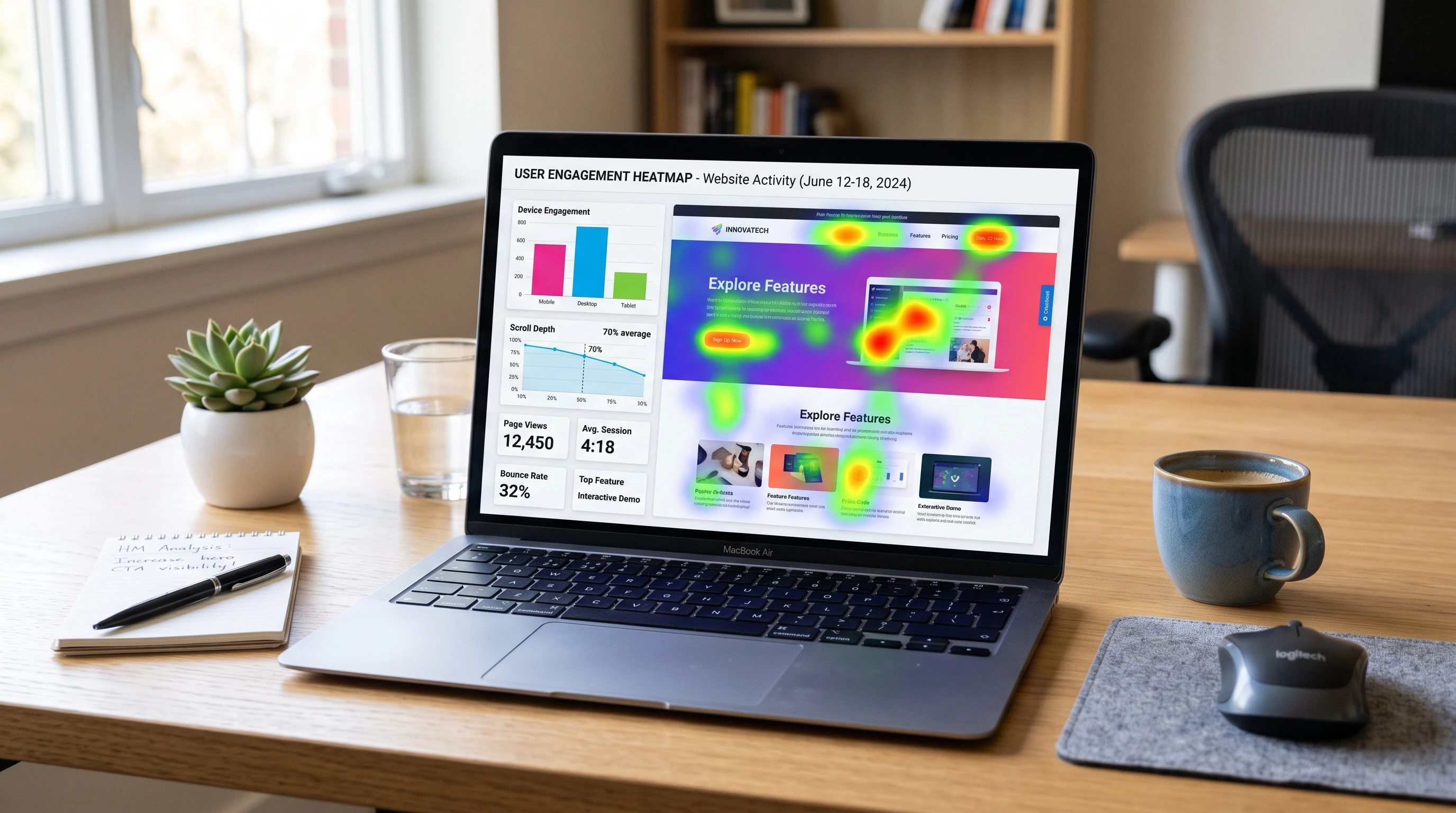
Affiliate marketing is all about getting visitors to take action, usually a click, sign-up, or purchase. But knowing where users lose interest or which elements grab attention can be tough without the right feedback. That’s where heatmap tools step in. They transform a bunch of user actions into visuals, like hot spots and scroll paths. You instantly see what draws eyes and clicks (and what never gets noticed), taking guesswork out of your optimization game.
Unlike basic metrics like bounce rate or session duration, heatmaps show you where visitors interact. Got a call to action that never gets love? Or is there a button that everyone keeps clicking, but it doesn’t help your bottom line? Heatmaps surface these insights with zero digging, just quick, easy visuals you can turn into simple site tweaks. Improving page layouts with this real feedback can lead to more clicks on your affiliate offers, increased time on page, and better payouts for your efforts.
Heatmap tools aren’t just about pretty colors. They can provide the evidence you need when arguing for site changes to partners or stakeholders. Being able to say, “Here’s exactly where users are dropping off,” or, “See how nobody notices this important banner,” can motivate quick action and smarter decisions with your site design. These visuals help marketing teams prioritize what matters.
How Heatmap Tools Work
On a technical level, most heatmap tools add a light script to your website. This code “watches” user actions like mouse moves, clicks, and how far people scroll. It then sums up all these movements on your page using colored overlays. For example, red zones show heavy interaction while cooler tones like blue show barely any action. These visuals help you spot patterns across hundreds or thousands of visitors quickly.
There are a few common types of heatmaps:
- Click Maps: Show where users are actually clicking, including buttons, images, links, dead areas, or accidental taps.
- Scroll Maps: Indicate how far people scroll down your pages. Super useful for checking if users see your affiliate links or leave halfway down.
- Move Maps: Track mouse movement to reveal which sections users hover over the longest.
Most heatmap tools are either software as a service with easy dashboards or plugins for website builders like WordPress. Some pair heatmaps with session recordings so you can literally watch real users interact with your site in real time. This level of data is pretty handy if you want to finetune high-traffic pages to squeeze out more conversions. These tools are designed to make it easy for anyone, whether you’re new to marketing or a seasoned pro, to get actionable data without technical headaches.
Picking the Right Heatmap Tool for Affiliate Sites
Choosing a heatmap tool comes down to your needs, tech skills, and budget. Free tools are perfect for trying things out (think Hotjar’s or Microsoft Clarity’s entry-level plans), while paid options bring advanced segmentation, longer data storage, and customizable tracking. If you’re just starting out, here are some basic picks to consider:
- Hotjar: Known for being user-friendly with click and scroll maps. Its basic plan is free and covers smaller affiliate sites easily.
- Microsoft Clarity: 100% free with advanced features like session replay and easy integration with any site.
- Crazy Egg: Offers A/B testing along with heatmaps so you can compare changes and see if your tweaks improve clicks or sales.
- Lucky Orange: Includes heatmaps, recordings, and even live chat for more hands-on optimization.
Your ideal tool depends on what you want to test. If you’re running multiple offers or landing pages, having segmentation and comparison features makes life much easier. If you have a massive site or lots of visitors, you’ll want a service with no pageview caps. Some affiliate programs are strict about third-party tracking scripts, so always check your program’s compliance rules before installing. For marketers who value in-depth visitor information, pairing heatmap tools with your existing analytics platform is smart. Look for integrations with Google Analytics or your favorite reporting tools to get a fuller picture of user behavior. Some services also offer alerts if something unusual happens on your site, like sudden dropoffs or massive engagement spikes, giving you the chance to react quickly.
Getting the Most from Heatmaps: Step-by-Step
Just putting a heatmap on your site won’t magically fix low conversions. Data is only helpful if you know how to act on it. Here’s how I turn heatmap data into simple, actionable improvements:
- Install the Tool: Add the script or plugin to your affiliate site and launch heatmap recording for your most important pages (like review posts, landing pages, or comparison tables).
- Wait for Data: Let the tool gather visits; typically, a few hundred per page is enough to see clear patterns.
- Spot Weak Points: Look for areas with zero activity that should be hot or for distractions pulling clicks away from your main call to action.
- Adjust Layout and Test: Move affiliate buttons (make them bigger or higher on the page), change headline placement, or cut distracting elements that get clicks but aren’t helpful.
- Use AB Testing: Pair changes with a simple split test whenever possible. See if your new layout really bumps up conversions.
Repeating this cycle a few times lets you build pages that grab user attention right where you want it and make it simple to take action on your affiliate links. Over time, you’ll grow a site that feels tailored to how visitors naturally browse and engage. Don’t forget to check results on both desktop and mobile, as user interactions can look very different depending on the device.
Common Problems Heatmaps Help Solve for Affiliates
Even the best affiliate pages can have user experience hiccups. Here’s where heatmaps are especially useful for affiliate marketers:
- Poorly Placed CTAs: If your “Buy Now” or “Learn More” links aren’t getting clicks, heatmaps show if users even see them or scroll past.
- Distracting Content: Big banners, popups, or extra widgets can draw visitors’ attention away. Heatmaps highlight if these elements pull clicks away from actual affiliate offers.
- Mobile Issues: Sometimes buttons look fine on desktop but get hidden or squished on mobile. Heatmaps break down device-specific user actions, so you can catch and fix these problems.
- High Drop-off Points: Scroll maps show if people leave before reaching your main offer, which can happen if the intro drags on or the page feels overwhelming. Tweaking these sections can keep visitors hooked longer.
Every tweak that helps more users notice and interact with your key offers can make a real difference in your affiliate income. Making small but targeted changes over time can lead to a steady improvement in your results.
Advanced Heatmap Insights, Tips, and Tricks
When you’re ready to go beyond the basics, there are some pretty cool ways to use heatmaps for even smarter optimization:
Segment Visitors: Filter heatmap data by traffic source (organic, paid, social, or email). This helps you see if users from different channels act differently; for example, maybe paid traffic skips right to your CTA while organic traffic lingers on reviews.
Track on Funnels: Set up heatmaps on each step of a multipage process (think email opt-in, funnel, or checkout pages). This helps you spot confusing spots or friction points where users bail before converting.
Pair With Analytics: Combine heatmaps with regular analytics. If Google Analytics shows high bounce on a page, heatmaps can reveal exactly where users are zoning out.
Test Desktop vs. Mobile: Always compare heatmaps by device, since layout and behavior can change a lot. Optimizing just for desktop leaves a ton of mobile conversions on the table.
Another trick is to look at heatmaps after you make big design changes. If you update your theme, add a new table, or put a different offer on the page, set a new heatmap to watch how user actions change. This ongoing approach keeps your site tuned up for long-term affiliate growth.
The Basics: What Affiliate Marketers Should Focus on With Heatmaps
Kicking things off, there are a few areas where heatmaps deliver the most value for affiliate marketers:
- Review Pages: See if users scroll far enough to encounter your affiliate tables or “top picks.”
- Comparison Tables: Check if certain sections of the table get more clicks or are ignored.
- Landing Pages: Track clicks on buttons, forms, or images to ensure users’ attention is guided directly to your offer.
For example, say you run a tech affiliate blog and your table comparing software tools is below the fold. If scroll heatmaps show only 40% of users even see it, you know it’s worth testing a higher placement or shrinking other content. On a coupon page, unclicked coupons might mean they’re not grabbing attention or maybe the buttons blend in too much. Heatmaps will show whether it’s a design issue or just a placement problem.
Don’t underestimate the power of seasonal or campaign-based heatmaps. Tracking behavior during a big sale or product launch often sparks crucial new insights, since user intent can change dramatically during high-stakes periods. This is a great time to gather new heatmap data and make fast updates to your main affiliate pages.
Frequently Asked Questions
Do heatmap tools slow down my website?
Most modern heatmap tools are lightweight, but it’s good to check your site speed after installing any new script. Stick to trusted providers and always check reviews about performance.
Are free heatmap tools enough for small affiliate sites?
For many new affiliate sites, free versions are totally fine. As traffic or complexity grows, you can upgrade for deeper insights and better support.
Can I use heatmaps on affiliate links from networks like Amazon or ClickBank?
Yes, but confirm with your affiliate program’s policy that tracking scripts are allowed. Most of the time, heatmaps track your own site, not the target offer links.
My Final Thoughts
Bringing heatmap tools into your affiliate marketing workflow adds an extra level of understanding you won’t get from regular analytics. You’ll be able to polish your site based on what real users do, not just what you think they do. That means more clicks, a smoother adventure for visitors, and a better chance of hitting your affiliate goals. It is worth checking out if you’re ready to take your site optimization and income up a notch.